
How to Deposit Money in 3 Patti Pakistan – Payment Guide 2026
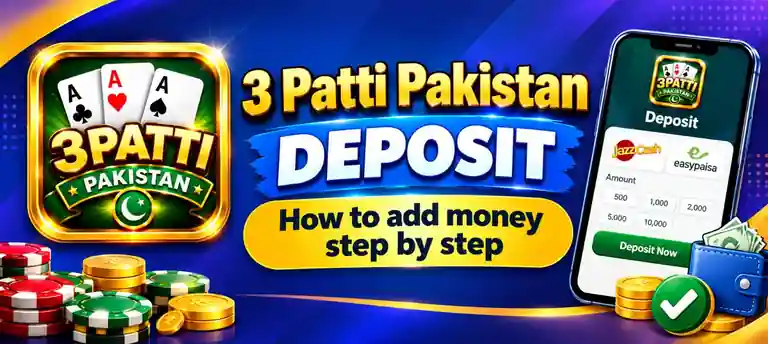
Adding money to your 3 Patti Pakistan account lets you join real-money tables in the app. You can deposit through JazzCash, EasyPaisa or bank transfer, and most wallet payments are completed within a few minutes.
Before You Make a Deposit
Payment Methods Available in 3 Patti Pakistan
JazzCash
One of the most used mobile wallets in Pakistan. Deposits are usually quick and can be paid straight from your JazzCash account.
EasyPaisa
Works much like JazzCash and is a good choice if you already use EasyPaisa for bills, mobile load or transfers.
Bank Transfer
Useful for larger amounts. Bank transfers can take longer to reach your game wallet than mobile wallet payments.
3 Patti Pakistan Deposit Steps
- Open the app and tap the Wallet or Add Cash button in the lobby.
- Tap Deposit.
- Choose JazzCash, EasyPaisa or Bank Transfer.
- Enter the amount you want to add. Make sure it is above the minimum shown on the screen.
- Tap Confirm and complete the payment by following the instructions shown for your chosen method.
- Wait for the confirmation message. The amount appears in your game wallet once the payment is processed.
Deposit Limits, Time and Fees
| Detail | What to Expect |
|---|---|
| Minimum Deposit | Set by the app and shown on the deposit screen. It can change with updates or promotions. |
| Maximum Deposit | Depends on the app’s limits and the daily limits of your JazzCash, EasyPaisa or bank account. |
| Processing Time | Usually a few minutes for mobile wallets. Bank transfers and busy hours can take longer. |
| Fees | The app usually does not add a deposit fee, but your wallet or bank may apply its own charges. |
Tips for a Safe Deposit
Use Your Own Wallet
Pay from your own wallet with the same number as your account. It helps avoid delays and extra checks later.
Pay Only Inside the App
Follow only the payment steps shown in the app. Never send money to numbers shared by strangers on WhatsApp or Facebook.
Start With a Small Amount
For your first deposit, add a small amount to see how the process works before adding more.
Set a Budget First
Decide how much you are comfortable spending before you deposit, and do not go over it.
Deposit Problems and Fixes
Deposit Not Showing
Why: The payment is still being processed, or the network is slow.
Fix: Wait a few minutes and refresh your wallet. If it still does not show, contact in-app support with your receipt.
Payment Failed
Why: Low wallet balance, a wrong PIN or a daily limit on your wallet account.
Fix: Check your balance and limits, then try again with the correct PIN.
Money Deducted but Not Credited
Why: The payment went through, but the app has not updated your balance yet.
Fix: Keep your transaction ID and receipt screenshot, and send them to in-app support so they can trace the payment.
Deposit Button Not Working
Why: An old app version or a weak connection.
Fix: Update to the latest APK, switch between Wi-Fi and mobile data and try again.
What to Do After Depositing
Your wallet is ready. Here is where to go next.
Frequently Asked Questions
Which payment methods can I use to deposit in 3 Patti Pakistan?
You can deposit with JazzCash, EasyPaisa or bank transfer, depending on the options shown in the wallet section of the app.
Is there a minimum deposit amount?
Yes, the app sets a minimum amount for each deposit. It can change, so always check the deposit screen before you pay.
How long does a deposit take?
Wallet deposits usually show in your game balance within a few minutes. Bank transfers and busy times can take longer.
Are there any deposit fees?
The app usually does not add a fee, but your wallet or bank may apply its own charges. Check your wallet’s fee details if you are unsure.
Can I deposit from someone else’s wallet?
It is better to use your own wallet with the same number as your game account. Payments from other numbers can cause delays later.
What should I do if my deposit is not showing?
Check that the money left your wallet, wait a few minutes, then contact in-app support with your transaction ID and receipt screenshot.